

How to Withdraw Accenture Previous Application – Accenture Application Already Exists – Step By Step Process & Apply Again
How to Withdraw Accenture Previous Application: Are you facing the frustrating “Application Already Exists” error when applying for a new Accenture job in 2025? You’re not alone in this, actually. The issue here is that Accenture has only “one” application policy at a time. Retracting your previous application is relatively easy, but you do need to visit the right portal or contact support. Step by Step: This guide will show you how to fix the issue and reapply.
Whether your access will be given to you on a workday, MyZone, or any other portal of Accenture, then follow these steps. Note: Accenture doesn’t frown upon reapplying for new positions, just make sure to withdraw the old ones to avoid unnecessary confusion!
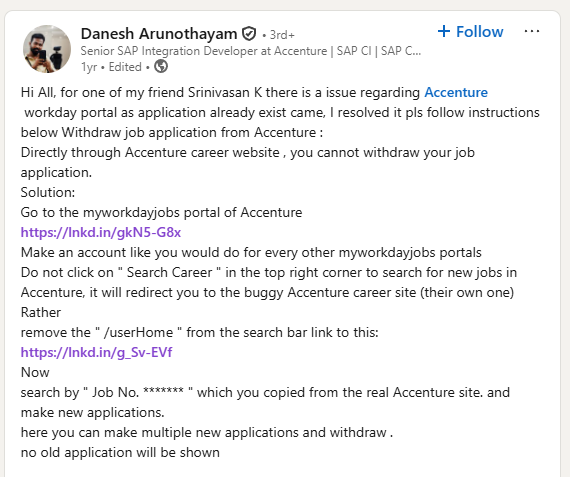
What Causes the “Application Already Exists” Error on Accenture Portal?
- One Active Application Rule: Accenture only allows applicants to have one active application. When your old one (let’s say 2024 application) is still pending, the tracking system stops reinventing the wheel again as that carrier takes a new under PAN/email.
- Issues on the portal: Found in most of the Workday or MyZone portals, during PAN uploads.
- Why Withdraw?: Withdrawal releases the status to allow new applications without reduplication of data.
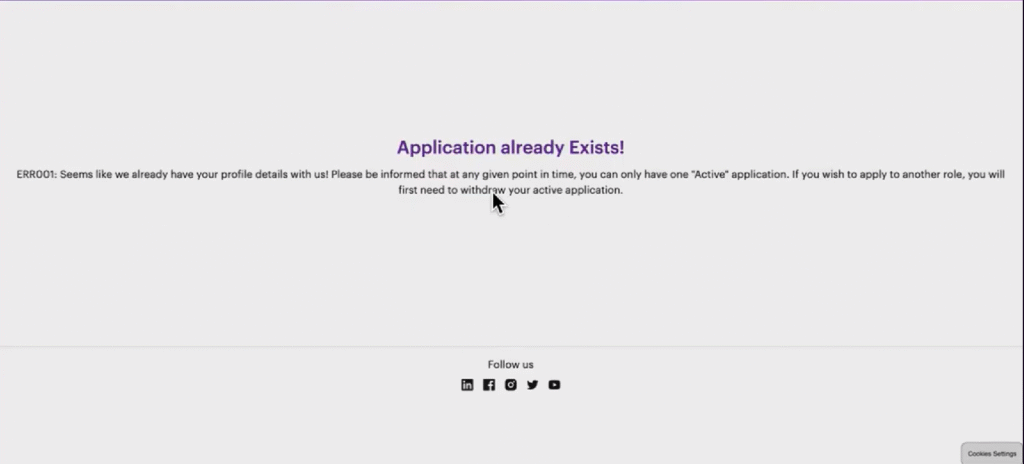
How to Withdraw Accenture Previous Application – Accenture Application Already Exists – Step By Step Process watch now
Step-by-Step Guide: How to Withdraw Your Accenture Application in 2025
Method 1: Pulling the Application Through the Workday Portal (Recommended for Active Applications)
Accenture has also deployed Workday in many applications. If your status displays “Already Applied,” log in and withdraw directly.
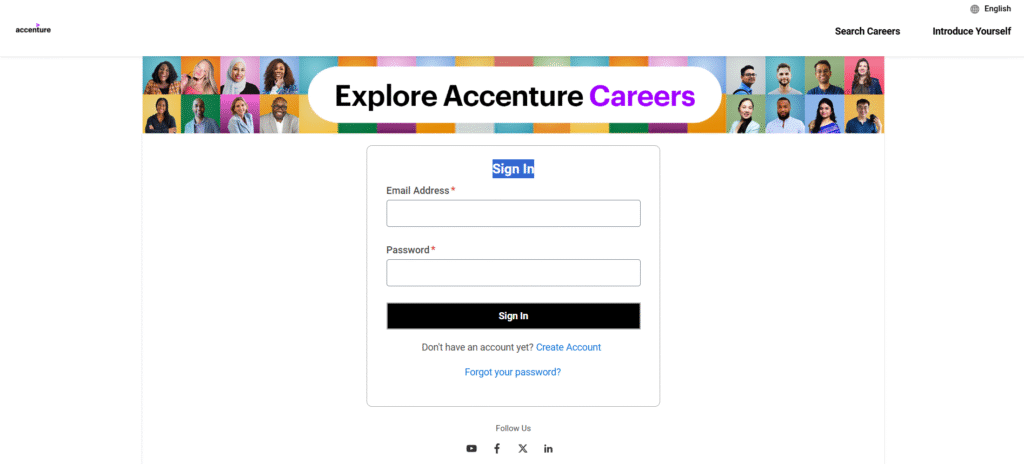
1. Access the Workday Portal:
- Visit Accenture’s MyWorkdayJobs portal (or Google “Accenture Workday login”).
- Login/ Sign In Link – Click Here
- Use the email and password you used when you first applied. If you have forgotten it, just click the “Forgot Password” button and follow the instructions emailed to you.
2. View Your Applications:
- Log in, then visit “My Applications” or “View Existing Applications” on the dashboard.
3. Locate the Application:
- Locate the specific job (e.g., your 2024 PADA application) for which you want to obtain an offer. Verify the status, which should say “Active” or “In progress.”
4. Withdraw the Application:
- Go to My Application
- Tap the three dots (…) next to the application.
- Choose “Withdraw Application” from the dropdown menu.
- Confirm the action. You might have to offer a reason (e.g., “Applying for another position”).
5. Verify and Reapply:
- Log out and apply for the new 2025 role. The error should be gone.
- Tip: If you continue having login issues, try clearing your browser cache or opening the page in a private window (incognito mode).
Here you Can Apply for an Accenture Job – Click Here
For more information – Click Here
Time Estimate: 5-10 minutes. This is fine work for most U.S./global applications.
Method 2: Email Accenture Recruitment Support (If You Are Unable to Access the Portal)
If you are unable to do so (e.g., your old credentials have stopped working or the data isn’t in Workday), email the team for manual withdrawal.
1. Compose the Email:
- Send to candidate.queries@accenture.com (global help) or country-specific, like india.recruitment@accenture.com for India candidates.
2. Include Key Details:
- Subject: “Please withdraw my older application- Job ID [Input ID] – Application already exists error”
- If possible, please provide a screenshot of the error.
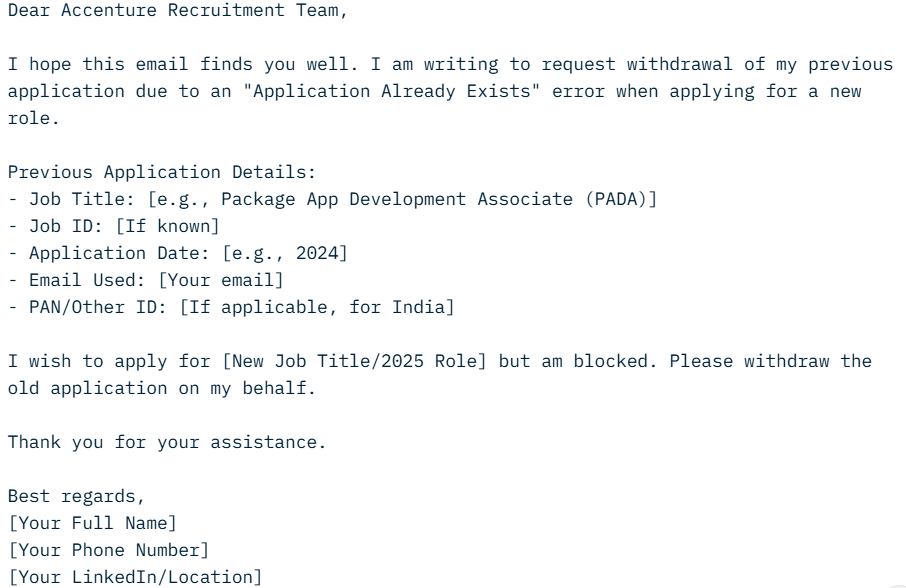
3. Submit and Follow Up:
- Send the email. We hope to respond in 2-5 working days.
- If no response, respond to the same email thread or contact Accenture’s helpline.
4. Confirmation:
- They’ll confirm withdrawal via email. Reapply immediately after.
Method 3: By using the Accenture Candidate Data Rights Form (For Data Deletion Request)
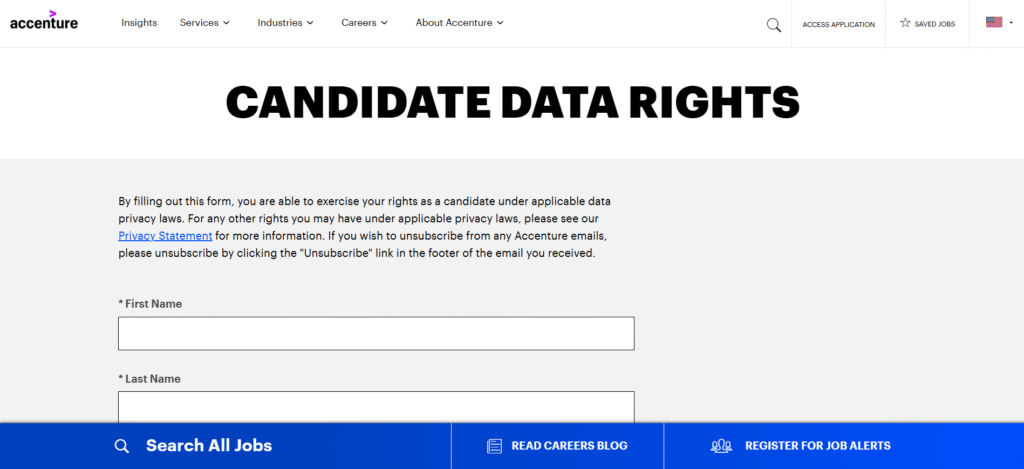
If withdrawing from the open letter is not enough and you actually want to remove our data types in general completely:
- Here’s the link to Accenture’s Candidate Data Rights Form.
- Choose “Request Deletion” and provide application details.
- Submit - it’s a 30-day process, but it completely cleans your profile.
Accenture Candidate Data Rights Form Link – Click Here
This is ideal if you’ve applied multiple times and want a clean slate.